Bridge in-person and online with one scan.
Order from any phone, no app required
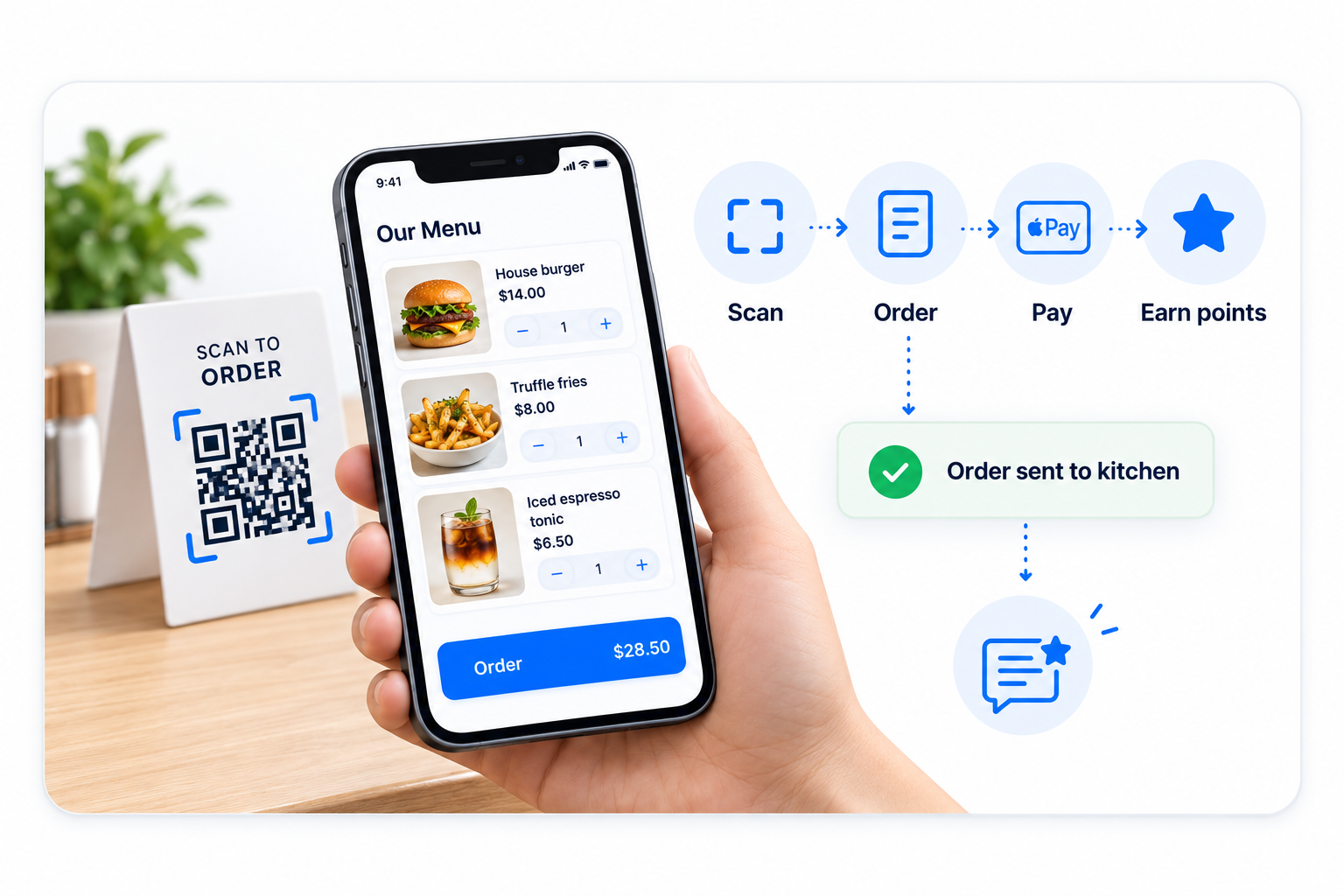
Guests scan a code at the table, the bar, or the counter and a branded ordering experience opens in their browser. No download, no friction.
Touchless ordering and pay
Customers add items, customize, and pay from their phone. Apple Pay and Google Pay are supported, and the check splits cleanly across the table.
Self-order lifts ticket size
When guests control the menu themselves, they tend to add more items. Modifiers, upsells, and combos surface naturally as they browse.
Reward repeat customers and earn reviews
Tie every QR order to a customer record. Reward repeat business with loyalty points and prompt happy guests to leave a review on the way out.
A direct line to your guests
Every QR order captures consent and contact info you can use later — your menu becomes a marketing channel without paying a marketplace.
Print or place codes anywhere
Table tents, menus, takeout bags, the front door. Each code can route to a specific menu, a specific table, or a specific outlet.
Scan to order in four moves.
Generate a code per table or outlet
From the back office, generate a QR code for each table, the bar, the patio, or the takeout window. Each one carries the right context.
Guest scans and orders
The customer scans, browses your menu, customizes their items, and pays — all without flagging a server.
Order routes to the kitchen
Tickets land on the SalesVu Order Manager and your kitchen display alongside POS and online orders. Nothing slips through.
Loyalty and review on the way out
Earn loyalty points, capture an email or phone, and prompt for a review at the right moment after the meal.
Every scan grows your business.
- Touchless ordering and pay at the table
- QR codes per table, outlet, or menu
- Apple Pay, Google Pay, and standard card support
- Orders flow into the SalesVu kitchen display
- Loyalty points earned automatically
- Capture customer contact for future marketing
- Prompt for reviews after the visit
Built for table service and quick service alike
Frequently Asked Questions
Do guests need to download an app?
No. The QR code opens an ordering page in the guest's mobile browser. No app, no account creation required to place an order.
Can guests pay from their phone?
Yes. Card, Apple Pay, and Google Pay are supported. Checks can be split or paid by a single guest.
Does it tie into the rest of SalesVu?
Yes. QR orders use your existing menu, modifiers, taxes, kitchen routing, loyalty program, and reporting — they show up in the same dashboards as in-store orders.
Can different tables route differently?
Yes. Each QR code can map to a table, an outlet (bar vs. patio), or a menu (lunch vs. dinner) so the kitchen always sees the right context.
How does this save on labor?
Self-ordering reduces the order-entry workload on servers, which lets one server cover more tables and shortens guest wait times during peak hours.
Can I use QR ordering for takeout?
Yes. Place codes on the door, in to-go bags, or on a delivery flyer. Customers can reorder without ever calling the store.
What does Time Slot Selection for Dine-In Orders do?
Lets the guest scheduling a future visit pick the exact slot they'll dine in. Restaurants smooth out covers across the night instead of slamming the kitchen at 7 pm.
What do the AI Recommendations do inside QR ordering?
Similar Products, Frequently Bought Together and You Might Also Like render as cart upsells in QR ordering. The check grows with no staff intervention.
What does Online Order Throttling do for QR?
Caps how many QR orders the kitchen accepts per slot during a rush. Service quality survives a Friday-night surge instead of collapsing.
What does Loyalty Redemption on QR Ordering do?
Members redeem points and rewards inside the QR flow. The loyalty program drives behavior at the table, not just at the register.
What does Gift Card Payment on QR do?
Accept SalesVu gift card balances as payment at the table. Customers actually spend the cards you sold them instead of letting them sit.
What does Discount Code as Payment do for QR?
Apply a marketing promo code at the table directly inside the QR flow. Conversion on email/SMS campaigns rises because the redemption path is one tap.
Put a register in every guest's pocket.
Talk to a SalesVu specialist about adding QR ordering to your tables, counters, and takeout window.